Posts

Showing posts with the label Android Phones

How To Backup Your Photos And Videos To Google Photos On Android Phone/Tablet

Image
Google Photos is a great online backup service where you can store your photos and videos. The best thing about this service is that you get to enjoy free unlimited storage as long as you allow Google Photos to keep them in High quality. That means Google will set your photos size to 16 megapixels and videos at 1080p. Don't worry, you can still save your photos and videos at Original quality — the quality at which they were taken.  After you set up your account, you will be able to have your pictures and videos sent to the cloud, and then access them from any phone, tablet, or PC, as well as on the web. If you don't know how to backup your photos and videos to Google photos, then read the step-by-step guide below to get started. How to Backup your Photos and Videos to Google Photos  Open the Google Photos app. Tap on the three horizontal lines at the top left of the screen. Tap Settings . Select Backup & sync . If the Back up & sync is turned off, switch it on.  M...

3 Simple Ways To Back Up Your Android Contacts

Image
Are you looking for a way to back up Android contacts? We know how important it is to preserve the contacts numbers of friends and family in order to keep in touch with them. But there is a chance we could lose those contacts if we don't have them stored away somewhere safe.  In this post, you will learn 3 simple ways you can backup your contacts on your Android device. So let's get started.  How to backup your Android contacts  Method 1: Sync contacts to your Google account  By default, contacts, Android devices automatically backup call history, app settings, text messages, and more to Google drive. But you can also have this done manually.  Since Google owns the Android, it comes as no surprise that its services are very well integrated with devices powered by Android and one of the services it provides is the ability to save contacts to Google’s servers. With just your Google account, you can have your contacts saved in the cloud, and you can retrieved them if your phone g...

How To Manage Your Internet Data Usage On Your Android Device

Image
Just a few years ago, it was rare for mobile phones to consume multiple gigabyte of data. But today, music and video streaming, as well as, the download and update of data-hungry apps that may exceed 100MB in size can wind up GB in a matter of days.  The increasing use of sophisticated phones, the popularity of such video streaming apps like Netflix and YouTube, and the addiction to social network such as Facebook, Twitter, and Instagram, has led to an ever soaring increase in data usage. As a result, consumers see their data explode astronomically.  Understandably, we can't do away with the Internet since our phones will be useless without it. Therefore, we need to know how to manage our data to prevent it from being throttled. The tips below may be able to help do just that.  How to Manage Your Internet Data Usage on Your Android Device  Set up a data limit. Android provides an option for you to monitor your data usage and set a limit and alerts to warn you when yo...

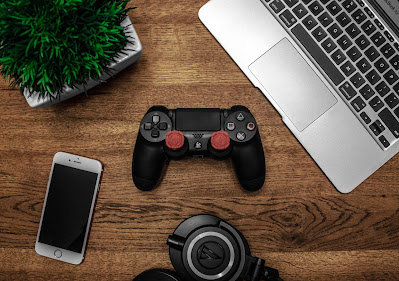
How To Connect PS4 DualShock 4 Controller To Your Android Device To Play Games

Image
For years, one of the most biggest drawback of mobile games, compared to video-games and handheld consoles, is that you have to rely on touchscreen control to play most of your games. Fortunately, it's now possible to use controllers on mobile devices as you would on a video game console or a Nintendo Switch.  Many controllers are now being designed work with mobile phones, and most Android devices, especially Android 10 and above, have controller input support. The best controller among the pack right now is the DualShock gamepad developed by Sony for their PlayStation console. To control your favourite game, you will need the DualShock 4 controller to connect to your device using Bluetooth. Of course, not all games have built-in controller-support. But with those that are compatible, you can enjoy your favourite games with DualShock 4.  In this post, you will be shown how you can use your PS4 controller on your Android device. How To Connect PS4 Controller To Android Devices...

Samsung Promises Four Years of Security Updates For All Galaxy Devices From 2019 And Later

Image
Samsung just announced tha all its Android Galaxy-branded devices from 2019 or later will now get four years of security updates.  Usually, Samsung only promise two years Android upgrades. That is until last year when the company announced that it will support new phones with three years of security fixes. Now that policy has been extended to four years.  The phones eligible for this upgrade will include all high-end and entry-level devices released from 2019 and onward, a total of 130 models. These include every Galaxy line - Galaxy S, Note, Z, A, XCover, and Tab.  Many of Samsung's devices are already either on Android 11 or at least Android 10. Last year, the company released the latest Android security patch for their devices even before Google Pixel devices received theirs.  The new update policy is not perfect as it still relegates some of the lower-end devices to quarterly security upgrades. Still it should be said that Samsung's announcement is quite surprisi...

How To Keep Android Apps From Running In The Background Of Your Phone

There are times when you are using an app and it starts acting sluggishly. If it is a browser you are using, a page will be taking time to open or a file you are trying to download would be running too slow. If it is a game you are playing, it may hang midway or stop altogether.  A number of things can be responsible for these occurrence but one of the most biggest culprit are apps running in the background.  Applications make use of your phone memory or RAM in order to run properly. If there are two or more apps opened and running at the same time, they will be competing for the use of the phone memory and thus slowing down the phone process. This may not be a problem if you have about 6GB RAM.  To stop such apps from eating up your phone memory, you need to force stop the apps running in the background.  How can you do that?  Below is a simple step by step method you should try.  Step 1 Open your phone Settings by tapping the icon on your Apps menu. Or, y...

Google Is Offering $1.5M Reward For Spotting Out Bugs In Its Pixel Smartphones

Google is offering a mouth-watering $1.5m prize money to anyone who can spot out security flaws in some of its Android Smartphones. Previously, the prize offering was $200,000, but is being raised to $1.5m in order to encourage people to report any bugs they discover, rather than selling it to others who could exploit it for criminal reasons like hacking people's phones. Other companies such as Apple, Samsung and Facebook also offers rewards for uncovering security flaws. To claim the Google bounty, researchers would have to find a way to compromise the Titan M security chip in the Google Pixel devices, spot out any problems in it and then report it so that it can be immediately fixed.

Here Are All The Smartphones Currently Running Android 10

Image
Now that the much-hyped Android 10 has been officially released by Google, many people would want to know if their devices is eligible to receive it. Android 10 was released on September 3 2019. It's the first major release and 17th version of Android operating system. Unlike the previous versions, the latest update was not named after a dessert or sweet treat, ending a tradition that began in 2009. Google explains that these names were not relatable to international users (especially non-westerners) due either to the named foods not being internationally-known, or being difficult to pronounce in some languages. So the new Android OS was decided to be just named Android 10. See also: Android Q Will Not Named After a Dessert or Sweet Treat It is to be expected that people will be interested in Android’s latest mobile Operating System since Google promises that the upgrade of the latest version will provide a secure and satisfying experience. Moreover, Google has adde...

Infinix Hot 8 - Full List of Specifications and Prices

Image
Last Friday in Nigeria, Infinix officially launched its latest Hot mobile devices - Infinix Hot 8 and infinix Hot 8 lite. The release is coming almost 7 months after the launch of its predecessor - Infinix Hot 7. The Hot 8 is the latest in the series of Hot generation mid-budget Smartphones that is designed to satisfy users' entertainment experience. As with most of Infinix devices, the Hot 8 provides cutting-edge technologies at affordable prices. This includes a new powerful 5000 mAh battery which is the biggest in the infinix series and a 6.6" large display screen for brighter and clearer images. It also comes with a smooth and light UI, a 64GB internal storage, 4GB RAM and a double AI camera with front flash. There is also a storage feature with Google FileGo for managing space, and a new gaming mode feature that can tune out annoying notifications during game play. The Hot 8, just like its predecessor comes with 2 variants which is the 2GB/32GB varian...

Samsung Galaxy Note 10 Plus Gets the Crown From DxO for Best Camera

In a recently released chart by DxO for best camera, Samsung Galaxy Note10+ 5G takes the crown, beating the Huawei P30 Pro, which held the top spot since its launch in March this year. According to the camera review site DxOMark, the new Samsung Galaxy Note10+ 5G tops the chart in both the camera and selfie categories. The Note 10+ 5G score 118, a point higher than Huawei P30 Pro, for its rear camera. For the selfie camera, the front camera on the Note 10+ 5G beats the previous record-holder: the Samsung Galaxy S10 5G. The Galaxy Note10+ takes excellent photos with a wide dynamic range in a broad range of lighting conditions. With a brighter aperture of f/2.1, the Note+ camera telephoto can preserve more detail in textures even in low-light conditions. So if you are looking for a smartphone with the best camera for rear and selfie shots then the Note 10+ 5G should be your first choice, at least for now.

Huawei Introduces a New Operating System Called HarmonyOS

After months of speculations, especially in the wake of US government sanction on its products that led to Google cutting off ties, Huawei has announced its plan to Introduce its own operating system called HarmonyOS. At the Huawei Developer Conference in Dongguan, China, where the announcement was made, Richard Yu, CEO of the company’s Consumer Business Group, talked about a wide-ranging potential for the new operating system. “We needed an OS that supports all scenarios, that can be used across a broad range of devices and platforms, and that can meet consumer demand for low latency and strong security,” Yu said. Although there had been rumors that Huawei was planning to replace the Android operating system on its smartphones and tablets, the company said that HarmonyOS would first be used to power smart devices such as smart TV, speakers and watches. However, the graphics presentation at the event also included, not just watches, cars and televisions, but also smartphones. R...

Huawei Has Sold 2 Million Units of Its Nova 5 Smartphone

Image
 Despite the many obstacles to its business, Huawei is seem to continue making profits. Just late last year, it reported that the the Chinese telecom giant had become the biggest Android smartphone makers behind Samsung. Now a new report from Huawei just shows that its nova 5 smartphone units had sold 2 million in a month since its released. The nova 5 series was first unveiled on June 21 with three phones in the center stage. This include the nova 5i, nova 5, and nova 5 Pro. The newly released nova 5i Pro that comes with four cameras is counted in this success list. The announcement from Huawei comes after its fourth consecutive weekly flash sale and only includes phones from the Chinese market. The next flash sale of the nova 5 phones that will include the new nova 5i Pro is scheduled for August 2.

How to Track and Find Your Missing Android Phone

Although, we tend to find it hard to part with our phones, even for a few minutes, we may still fail into the situation where our mobile gets misplaced, or worse, stolen. When you experience such a situation, what do you do? If your phone is presently missing, it is imperative that you should immediately find it before someone else does because of the sensitive information stored within it. Thankfully, Google has made it easier for us to locate our lost phones which we can use to track it down and perform various options to protect our stored data. Below is a number methods you can try to track and find your missing Android phone. Bear in mind that this doesn't always work. Moreover, the missing phone will have to be on signal, location or data for it to work, but it is still a useful way of finding a lost phone. Method 1 - Finding your Android phone with another Android phone 1. Get another Android device by either buying another one or borrowing someone else ...

Samsung Set to Release Its First Foldable Smartphone After Fixes

Image
Samsung is finally set to launch its first foldable smartphone, come September. The Galaxy Fold was initially set to be released on April but had to be postponed due to problems with the device. Early reviewers had reported broken screens that resulted from removing a film they thought was a typical protective layer that came with the phone. Samsung said in a statement that it "has taken the time to fully evaluate the product design, make necessary improvements and run rigorous tests". Among the improvements the firm made is extending a protective layer to make it clear to users that it is not meant to be removed, as well as strengthening the hinge area with new protection caps. Samsung has been in a race to be the first to launch a folding smartphone before its rivals, but problems with the device hampered its plans to release it early. Moreover, the tech company has been experiencing declining smartphone sales and faces growing competition from rivals includin...

How to Activate your Mobile Phone Internet Connection Settings for MTN, Glo, Airtel and 9Mobile

Image
One of things that makes a mobile phone such a great piece of technology is that it comes with an internet which you can browse with anywhere and anytime. However, before you can access the internet, you will need to activate your phone with 4G, 3G, 3.5G or GPRS internet settings. No matter what mobile network you use, it is important that your mobile device have an internet-enabled settings or APN (access point names) settings properly configured. If the settings is not correct, you won't be able to access the web. In this article, you will find out how you can properly activate your mobile phone to enable internet access. How to activate your mobile phone internet connection settings There are two main ways you can activate your phone for internet access, the automatic method and the manual method. To automatically obtain the internet settings for browsing, you will need to send an SMS command to the mobile network. When the network receives your message, ...

How to Easily Protect Your Eyes When Using Your Smartphone

There's no doubt that most of us are addicted to our smartphones. We tend to use them almost all day, and at all manner of time, including night when we should be asleep. We daily text and share messages and photos, we browse and download videos, images and audios. Really, we can't live without our mobile devices. However, spending long time staring at a bright screen, especially at night when all the surrounding is dark, can be very harmful to the eyes. Mobile phones emit radiation that causes eye strain when you stare at the screen for a long time. Nevertheless, there are certain things you can do to protect your eyes from damage when using your phone. Below are two easy methods you can try. Turn on Eye care mode A number of smartphones come with an Eye care mode feature. It will filter the blue light of the screen to protect your eyes. You can also adjust the filter according to your needs. To turn on Eye care, go to Settings, click on Display settings a...

Huawei Revenues Topped $100 Despite US-led Campaign Against Them

Image
Chinese telecoms giant Huawei said that revenue for 2018 topped $100bn despite US-led campaign against its business. According to the Shenzhen-based firm, Huawei last year's revenue hit 721.2bn yuan ($107bn), while net profit jumped 25% to 59.3bn yuan. The company said that global revenue surged 19.5% in 2018, its fastest pace of growth in two years. The result was supported by strong sales of smartphones in China. At the same time its carrier business, which sells telecoms infrastructure to countries around the world, eased 1.3%. Huawei have had to deal with a lot of issues since last year that threatened its business. The tech company have been accused of having ties to the Beijing government which raised concerns over the security of its products. So for security reasons, the US, Australia and New Zealand have all restricted companies in their countries from using Huawei to provide the technology for their 5G networks. And several other European telecoms operators, inclu...

Google Introduces Android Q Beta

Image
Google has released the first beta for the 10th version of its mobile operating system, Android Q. This latest version is expected to replace Android Pie that has been around since last year. Android Q was aimed at developers and contains great features, with more promised to be added after its I/O conference in May later this year. With the recent rise of innovative products from 5G to edge to edge displays and even foldable screens, Google is helping users of Android to take advantage of the latest technological trends. Among some of the benefits and features to expect from Android Q beta are: 1. Increased privacy protection 2. Support for foldable phones 3. Blocking apps access unless you want to share 4. Manage phone settings within an app 5. Improved internet and Wi-Fi connection 6. Improved support for sharing between applications 7. Key system settings displayed directly in the phone context 8. Better connectivity 9. New Wi-Fi performance mode ...

How to Easily Change Your Android Phone IMEI Number

Image
IMEI which stands for International Mobile Equipment Identity has been a important feature in mobile phones. For those who wants to activate a free browsing feature or to get free data, knowing how to change an IMEI is a must. So how can you change your Android phone IMEI? Luckily, changing a phone IMEI is easy and don't require money. To do that you will need to analyze or generate a valid IMEI. There are two ways to do this: 1. Using an IMEI Analyzer, such as IMEI Analyzer app. 2. Using the official IMEI.info calculator found online. How To Generate Or Analyze IMEIs Using IMEI Analyzer METHOD 1 Step 1 Download and install IMEI Analyzer from Google Play Store by clicking here. Step 2 After the IMEI Analyzer installation, open it and paste your phone's 15 digits IMEIs on the space provided. Note : Your IMEI number can be found by dialing *#06# Step 3 Next delete the last number on the 15 digits IMEI to make it 14 digits and then...

Samsung Galaxy S10, S10e and S10+ Now Available in 70 Countries

Image
Report surfacing shows that Samsung Galaxy S10 line-up, consisting of the Galaxy S10e, Galaxy S10, and Galaxy S10+ are now available in 70 countries. Samsung first introduced its S10 flagship on February 20, 2019. Now, the Korean tech giant has started launching the 2019 them worldwide, and it has now reached 70 markets including the U.S., Canada, India, China and all of Europe, with an additional 60  markets by the end of the month that will make it a total of 130 countries. The fourth of the S10 series, Galaxy S10 5G will hit select markets in the coming months, starting with Korea. Prices for Galaxy S10 models vary from market to market and carrier to carrier. They can be found in stores both online and brick and mortar.

Samsung Releases Its First Foldable Smartphones

Image
Three days ago, at its annual Unpacked event, Samsung released its first ever foldable smartphone in what it term as "unfolding the future". The event also saw the unveiling of the 10th generation S series - the Samsung Galaxy S10. Read Also : Samsung Beat Rivals to Unveil the First Ever 5G Smartphone The new foldable phone known as the Samsung Galaxy Fold is the company's first ever foldable device. As to be expected of a foldable device, the Galaxy Fold opens and shuts like a book. The device features two displays: a 4.6-inch display on the front cover that you can use when it’s closed, and a much larger 7.3-inch “Infinity Flex” display you can use when you open the device. The samsung Galaxy Fold is powered by an octa-core processor, 12GB of memory, and 512GB of built-in storage. There’s are six cameras inside the Galaxy Fold, one on the front, two on the inside, and three on its rear. And there is a battery inside each half of the device. On the...