Posts

How To Backup Your Photos And Videos To Google Photos On Android Phone/Tablet

Image
Google Photos is a great online backup service where you can store your photos and videos. The best thing about this service is that you get to enjoy free unlimited storage as long as you allow Google Photos to keep them in High quality. That means Google will set your photos size to 16 megapixels and videos at 1080p. Don't worry, you can still save your photos and videos at Original quality — the quality at which they were taken.  After you set up your account, you will be able to have your pictures and videos sent to the cloud, and then access them from any phone, tablet, or PC, as well as on the web. If you don't know how to backup your photos and videos to Google photos, then read the step-by-step guide below to get started. How to Backup your Photos and Videos to Google Photos  Open the Google Photos app. Tap on the three horizontal lines at the top left of the screen. Tap Settings . Select Backup & sync . If the Back up & sync is turned off, switch it on.  M...

How you can Easily Attach Songs to your Facebook Photos and Videos

Image
Facebook recently rolled out a new feature that makes it possible to attach songs to photos and videos. The social networking giant started testing this feature with a small number of users in September, and now it is making the feature available to everyone. How to add songs to Facebook photos and videos • You can try out the feature by first by uploading a photo or video from your phone gallery. • Tap on the sticker icon on Facebook. • Select the music sticker and you will then be shown a list of songs to choose from. • Pick the song you want and load it. • Move the slider to the part of the track you want to use and your post will show up on your account with a sticker that includes the track's title and artist. Take note that you can change its placement and use other effects with it to personalize your photo or video. Hope this helps. Don't forget to share.

Facebook Messenger Now Comes with a Simplified Version

Last week, Facebook announced an overhaul of its Messenger app and introduced a simplified version of the service interface and experience. The Messenger 4 update features three tabs instead of nine. These are Chats , People and Discover . All the features will be categorized under these tabs. "Chats" will continue notifying you of recent messages and Stories from your friends, while "People" will show the people you know that are currently online and available to chat. "Discover" will serve as a one-stop-shop for everything from business dealing to playing games. "We build one feature after another; they're piling up," said Messenger chief Stan Chudnovsky when explaining the reason for the new update. All in all, the updated Messenger 4 provides a simple feel that would keep the app uncluttered and easy to use. Facebook said it will be rolling out the new Messenger update in phases over the coming weeks.

Google will Require Android Devices to be Regularly Updated for at least 2 Years

Image
One of the biggest problems with mobile phones is the various vulnerabilities that keep them from functioning properly which is why phone makers constantly issue security updates to deal with the problem. However, most Android phones don't usually receive updates nearly as often as Google's own Pixel. And even after the updates have been issued, manufacturers still hesitate to provide the updates on time to their brands, preferring to be selective. But it seems as if that is about to change. According to confidential documents obtained by The Verge, Google will be requiring that Android manufacturers to provide regular security updates for "popular devices" (hardware activated by over 100,000 people) for at least two years. This will apply to any devices released after January 31st of this year. Google plans to enforce this rule next year starting on January 31st, 2019. The terms of the guidelines require phone makers to supply "at least" four security up...

Glo Jollific8 | How to Easily Activate and Enjoy 8 Times Recharge Amount with Glo Jollific8

What is the Glo Jollific8 ? Jollific8 is a special tariff plan for only new prepaid customers on Glo network which provides 800% more value on every recharge from N100 and above, including bonus to call all local networks, browse freely and get free data that can be gifted to other subscribers. How to activate Glo Jollific8 To enjoy Jollific8, just buy a new Glo SIM and register it to get it activated. You will then be automatically be on the Jollific8 tariff plan. Recharge your line by dialing *123*PIN# to start enjoying the benefits. Reed Also : How to Easily Borrow Glo Airtime Credit and Pay Later When Your Bundle is Exhausted Benefits of Jollific8 When you activate and recharge your new Glo sim: • You will receive 8 times the value of recharge amount when you recharge your Glo line. • You will enjoy free voice and data bonus on every recharge. • Every recharge also comes with free data to gift. Below is the breakdown of what you stand to gain from Jol...

How to Easily Update Google Pixel Phones to Android Pie

Image
Since Google released its 9th version of Android OS, called Android Pie on August 6 2018, people have been trying to get their hands on the new update. There are good reasons why people are looking forward to the new Android Pie. Every new update always comes with new features that can improve a phone's performance and strengthen its security. Features   of   Android   Pie • New user interface for the quick settings menu. • The clock has moved to the left of the notification bar. • Battery saver no longer shows an orange overlay on the notification and status bars. • A "Screenshot" button has been added to the power options. • A new "Lockdown" mode which disables biometric authentication once activated, which will be disabled once the user used their password to login. • Rounded corners across the graphical user interface. • New transitions for switching between apps, or activities within apps. • Richer messaging n...

75 Percent of Pixel Phones Now Run on Android Pie

Image
It's less than two months since Android Pie was launched and already 75 percent of Pixel phones are running the latest OS. According to Google Senior VP Rick Osterloh, over 75 percent of Pixel device owners are presently on Android Pie with more updating daily. This is to be expected since Google's devices are often the first to receive the updates right from day one. But the same cannot be said for other Android devices like Samsung because of the huge number of different Android hardware devices. Interestingly, the new Apple's iOS 12 is yet reach that high number of percentage. Instead its adoption rate is just closer to 50 percent. However, it should be noted that Android Pie has been around longer than iOS 12. The Pie was launched on August 6, while the iOS 12 started rolling out on September 18.

Google Assistant can Now Play Netflix on Android TV

Image
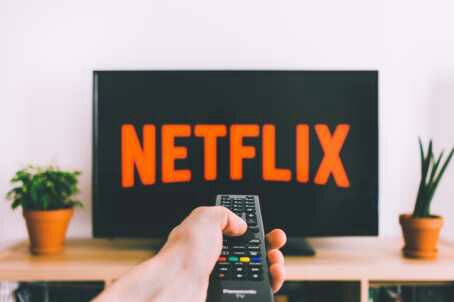
For reasons unknown, Google Assistant has been unable to play content on Netflix through Android TV device. This is strange for an OS that's basically supported by Chromecast functionality. Now Google seems to have fixed this issue as the Google Assistant can now play Netflix on Android TV. Other Assistant-enabled devices, such as the NVIDIA Shield and the new Xiaomi Mi Box have also been updated for this new functionality. When it Android TV was first launched, it was in a Google-made set-top box called the Nexus Player. While it may not be able to compete with other brands like Roku and Apple, or like Sony that similarly offer smart TVs with Android OS built in, Android TV has been growing little by little in the smart TV market. If you have an Android TV why not try out the new update and enjoy the experience